Huuger
Ergonomics
Published , updated
As an Amazon Associate I earn from qualifying purchases. Desk photos and "Check Price" buttons open Amazon. We haven't physically tested these desks; every score comes from manufacturer specifications (how we score).
The height you sit or stand at while working changes the angle of your elbows, wrists, shoulders, and neck for hours at a time. When a desk sits too low or too high, you compensate (hunching your shoulders, extending your wrists upward, or craning your neck forward) and those small compensations, repeated all day, are a major contributor to the back, shoulder, and wrist pain that drives many people to look at a standing desk in the first place. Getting the height right, whether seated or standing, is the single highest-leverage change you can make to a desk setup.
Ergonomics guidance generally targets keeping your elbows bent close to a 90°–110° angle while seated and typing, since that range keeps load off the shoulders and wrists without forcing you to reach up or down. ErgoDesk's Fit Calculator (on the homepage) computes a seated height range from your height in inches using a published regression: seatedMin = 0.4739 × height_in − 6.678, and seatedMax = 0.5538 × height_in − 9.427. Both numbers are shown to you directly, in inches, rather than collapsed into a single number: real bodies and chair setups vary, so a range is more honest than a single target.
The standing case uses a different, simpler regression aimed at the same idea, keeping your elbow near a comfortable working angle while standing: standingMin = 0.60 × height_in and standingMax = 0.63 × height_in. This band is deliberately a little more generous than a single precise value, since standing posture and preference vary more than seated posture does. As with the seated range, the Fit Calculator shows both the minimum and maximum in plain inches.
Once you have your seated and standing ranges, the question becomes whether a specific desk's adjustment range can actually reach both of them. ErgoDesk's Fit Calculator treats a desk as a full match only if its lowest height setting reaches at or below your seated minimum and its highest setting reaches at or above your standing maximum, in other words, its range has to span your entire sit-stand span, not just one end of it. That's a stricter bar than just "is this desk adjustable," and it's why some adjustable desks that look similar on paper will and won't fully cover a given height.
For some heights (especially taller or shorter than average) no desk in a given catalog will fully span both the seated and standing target ranges. That doesn't mean adjustability stops mattering; it means you're choosing the desk that covers the most of your range rather than all of it, and being deliberate about which end (usually standing height, since that's harder to compensate for with a chair) you prioritize if a desk falls short. The Fit Calculator surfaces these partial matches explicitly rather than hiding the gap, so you can see exactly what a given desk does and doesn't cover for your height before buying.
Enter your height to see which adjustable desks cover your ergonomic sit-stand range.
Enter your height above, then press the button or Enter to see your ergonomic range and matching desks.
Finding desks for your height
No adjustable desks fully cover your range. Here are the closest matches:
View on Amazon ↗Huuger
 View on Amazon ↗
FLEXISPOT
 View on Amazon ↗
VIVO
 View on Amazon ↗
Huuger
 View on Amazon ↗
Branch
 View on Amazon ↗
Korfile
 View on Amazon ↗
VIVO
 View on Amazon ↗
HUANUO
 View on Amazon ↗
OffiGo
 View on Amazon ↗
Branch
 View on Amazon ↗
FLEXISPOT
 View on Amazon ↗
OffiGo
 View on Amazon ↗
Claiks
 View on Amazon ↗
FLEXISPOT
 View on Amazon ↗
Korfile
 View on Amazon ↗
FLEXISPOT
 View on Amazon ↗
FLEXISPOT
 View on Amazon ↗
DUMOS
 View on Amazon ↗
SIAGO
 View on Amazon ↗
OffiGo
 View on Amazon ↗
Desktronic
 View on Amazon ↗
Desktronic
 View on Amazon ↗
Huuger
 View on Amazon ↗
Vari
 View on Amazon ↗
Klobel
 View on Amazon ↗
VIVO
 View on Amazon ↗
FLEXISPOT
 View on Amazon ↗
Muvai
 View on Amazon ↗
ErGear
 View on Amazon ↗
LIVTAB
 View on Amazon ↗
Grandder
 View on Amazon ↗
Veken
 View on Amazon ↗
Vari
 View on Amazon ↗
OffiGo
 View on Amazon ↗
Vari
 View on Amazon ↗
Vari
 View on Amazon ↗
FLEXISPOT
 View on Amazon ↗
HUANUO
 View on Amazon ↗
Veken
 View on Amazon ↗
Veken
 View on Amazon ↗
AODK
 View on Amazon ↗
SEDETA
 View on Amazon ↗
HUANUO
 View on Amazon ↗
Shintenchi
 View on Amazon ↗
Huuger
 View on Amazon ↗
HALIKZL
 View on Amazon ↗
ErGear
 View on Amazon ↗
SIAGO
 View on Amazon ↗
ExaDesk
 View on Amazon ↗
FLEXISPOT
 View on Amazon ↗
DeskShow
 View on Amazon ↗
FLEXISPOT
 View on Amazon ↗
DUMOS
 View on Amazon ↗
DUMOS
 View on Amazon ↗
Kingant
 View on Amazon ↗
SEDETA
 View on Amazon ↗
OffiGo
 View on Amazon ↗
FEZIBO
 View on Amazon ↗
ErGear
 View on Amazon ↗
OffiGo
 View on Amazon ↗
Monomi
 View on Amazon ↗
OffiGo
 View on Amazon ↗
VIVO
 View on Amazon ↗
SHW
 View on Amazon ↗
FLEXISPOT
 View on Amazon ↗
VIVO
 View on Amazon ↗
VIVO
 View on Amazon ↗
FLEXISPOT
 View on Amazon ↗
Huuger
 View on Amazon ↗
Casaottima
 View on Amazon ↗
FLEXISPOT
 View on Amazon ↗
HUANUO
 View on Amazon ↗
SAINTCY
 View on Amazon ↗
SEDETA
 View on Amazon ↗
FLEXISPOT
 View on Amazon ↗
Amazon Basics
 View on Amazon ↗
HUANUO
 View on Amazon ↗
RedLemon
 View on Amazon ↗
SAINTCY
 View on Amazon ↗
SAINTCY
 View on Amazon ↗
HUANUO
 View on Amazon ↗
ONBRILL
 View on Amazon ↗
FLEXISPOT
 View on Amazon ↗
VIVO
 View on Amazon ↗
ErGear
 View on Amazon ↗
UPOSOJA
 View on Amazon ↗
FEZIBO
 View on Amazon ↗
VIVO
 View on Amazon ↗
SEDETA
 View on Amazon ↗
SEDETA
 View on Amazon ↗
ALFA BUSINESS
 View on Amazon ↗
ErGear
 View on Amazon ↗
Cubiker
 View on Amazon ↗
OffiGo
 View on Amazon ↗
Claiks
 View on Amazon ↗
Veken
 View on Amazon ↗
FLEXISPOT
 View on Amazon ↗
SEDETA
 View on Amazon ↗
TIQLAB
 View on Amazon ↗
VIVO
 View on Amazon ↗
HUANUO
 View on Amazon ↗
Furmax
 View on Amazon ↗
FLEXISPOT
 View on Amazon ↗
Veken
 View on Amazon ↗
HUANUO
 View on Amazon ↗
ONBRILL
 View on Amazon ↗
ONBRILL
 View on Amazon ↗
ITEFDTUTNE
 View on Amazon ↗
Amazon Basics
 View on Amazon ↗
FLEXISPOT
 View on Amazon ↗
Agilestic
 View on Amazon ↗
EUREKA ERGONOMIC
 View on Amazon ↗
FLEXISPOT
 View on Amazon ↗
RALGEND
 View on Amazon ↗
DUMOS
 View on Amazon ↗
Homiflex
 View on Amazon ↗
WINAZ
 View on Amazon ↗
FLEXISPOT
 View on Amazon ↗
Ergotron
 View on Amazon ↗
FLEXISPOT
 View on Amazon ↗
WINAZ
 View on Amazon ↗
BIZUM
 View on Amazon ↗
PayLessHere
 View on Amazon ↗
HUANUO
 View on Amazon ↗
JYLH JOYSEEKER
 View on Amazon ↗
COMHOMA
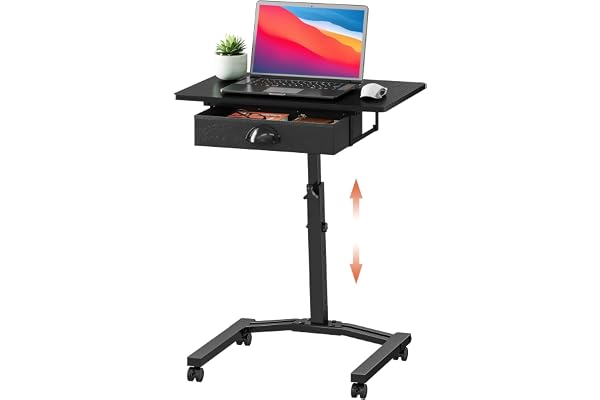 View on Amazon ↗
Cidaziya
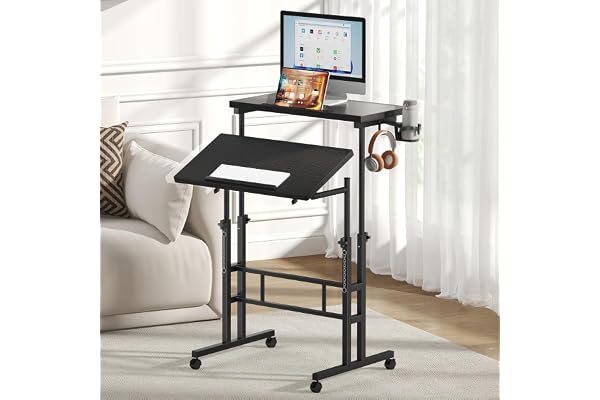 View on Amazon ↗
DUMOS
 View on Amazon ↗
OLIXIS
 View on Amazon ↗
SHW
 View on Amazon ↗
Amazon Basics
 View on Amazon ↗
Amztabler
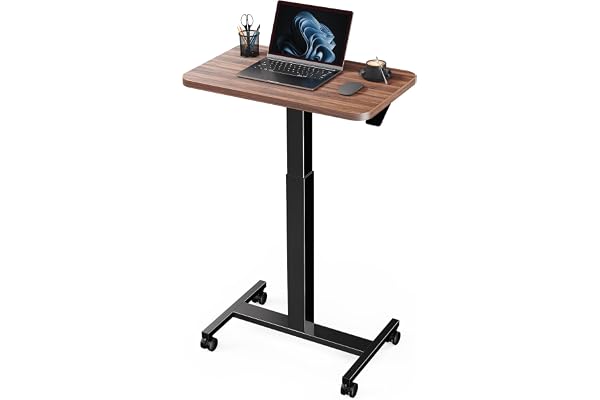 View on Amazon ↗
Marsail
 View on Amazon ↗
Bliesosfud
 View on Amazon ↗
Jsskeeim
 View on Amazon ↗
DUMOS
 View on Amazon ↗
DUMOS
The highest-scoring height-adjustable desks whose range runs from 26 inches or lower up to 48 inches or higher, so one desk covers both a seated and a standing setup. Check your own range with the calculator above.
View on Amazon ↗FLEXISPOT
View on Amazon ↗Branch
View on Amazon ↗Desktronic
Prices as of . Product prices and availability are accurate as of the date indicated and are subject to change. Any price and availability information displayed on Amazon.com at the time of purchase will apply to the purchase of the product.
ErgoDesk tracks 507 desks in total, and 139 of them are height-adjustable.
You'll still see the closest options, for the height-adjustable desks in our catalog that have a published height range, the Fit Calculator ranks them by how much of your combined seated-and-standing range their adjustment span covers, and shows the top matches even when none fully covers you.
No, real bodies and preferences vary, so the Fit Calculator always returns a seated range and a standing range computed from a published elbow-angle regression, not a single number to hit exactly.
The advice here summarizes widely used ergonomics guidance; the desk data comes from manufacturer specifications and is scored the same way for every desk (how we score).

